About Document Scanner: Image to PDF
This Camera Scanner app is the best Document Scanner app in the market. An all in one multipurpose document scanner app that allows you to convert any document to pdf or image to pdf. it has an photo to text converter...
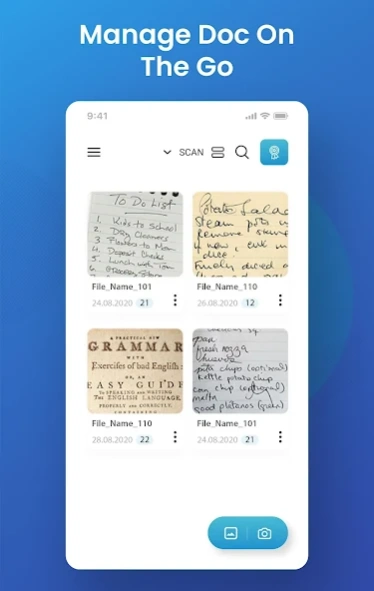
This Camera Scanner app is the best Document Scanner app in the market. An all in one multipurpose document scanner app that allows you to convert any document to pdf or image to pdf. it has an photo to text converter feature which allows you to extract text from image (OCR). With pdf converter make pdf from the bulk of images and documents and view with the built-in pdf viewer. This camera scanner app is your ultimate doc to pdf converter, Image to text converter, Document to pdf maker, and many more.
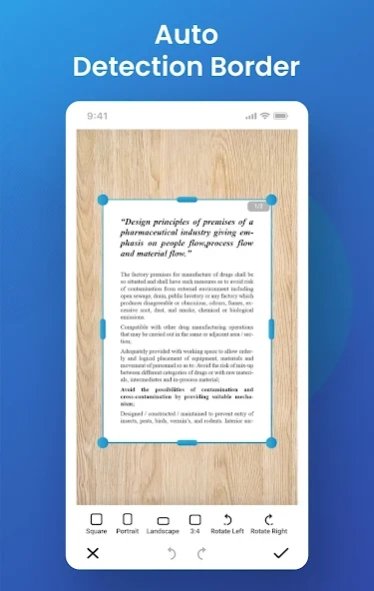
This camera scanner app is smart enough to automatically detects document and image borders while you scan document files or image files from your device camera or photo gallery. In addition to this, you have the full flexibility to manually adjust, edit, crop, rotate, add text, apply filters to your document. Document Scanner lets you quickly scan any kind of documents in your office, photo, bills, receipts, books, magazines, class notes, Business Card etc.
Document Scanner pdf converter app has both single and batch image processing. Select Multiple photos or image or pictures at once then process and convert to pdf with simple steps. This pdf scanner has a powerfull editor to edit your document or photo as your need.
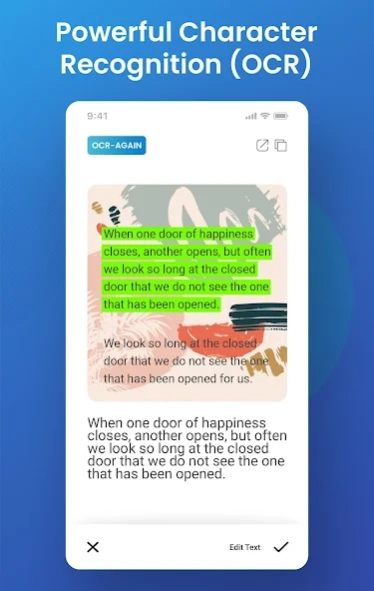
It has a very powerful image to text converter (OCR) feature that has both on-device and cloud image character recognition functions with 99% accuracy. This image-to-text or image-to-word feature can detect almost any language in the world. It can detect multiple languages at a time.
***********************
APP FEATURES
***********************
✓ Image to pdf, Jpg to pdf , Document to pdf converter
✓ Pdf maker and pdf Viewer
✓ image to text recognition (OCR), Extract Texts from image OCR
✓ All language text recognition and best accuracy (on device and cloud OCR)
✓ Draw text on image
✓ image marker ( paintbrush, draw line, arrow, circle, rectangle etc)
✓ Automatic document edge detection and perspective adjustment
✓ Extremely Fast Processing and smart correction
✓ Superb quality results with multiple filter options: photo, document, clear, color or black & white
✓ Flexible editing, able to edit the file after save
✓ Folders and subfolders, You can easily manage your files and folders, in order to organize your documents better.
✓ Document naming, storage inside the app and search
✓ Adding or Deleting one page or the whole document
✓ Set PDF Quality (Low, Medium, Normal and High)
✓ Email specific pages or whole document
✓ Tiny app size.
We made this camera Scanner( Doc to pdf ) app for your daily life use. Scan and store all your important documents without any hassle. Enjoy this image to pdf converter app and stay tuned for upcoming new features.
Previous Versions
Here you can find the changelog of Document Scanner: Image to PDF since it was posted on our website on 2021-12-11 21:37:43.
The latest version is 1.0.4 and it was updated on 2026-10-14 16:42:29. See below the changes in each version.
Document Scanner: Image to PDF version 1.0.4
Updated At: 2021-10-14
Changes: # Document Rotation and Re-Scan Functionality added in crop view
# Current Working Image Index preview for Better Tracking
# Some UI Changes
# Some Crashes Fixed
Disclaimer
Official Google Play Link
We do not host Document Scanner: Image to PDF on our servers. We did not scan it for viruses, adware, spyware or other type of malware. This app is hosted by Google and passed their terms and conditions to be listed there. We recommend caution when installing it.
The Google Play link for Document Scanner: Image to PDF is provided to you by apps112.com without any warranties, representations or guarantees of any kind, so access it at your own risk.
If you have questions regarding this particular app contact the publisher directly. For questions about the functionalities of apps112.com contact us.